 Windows – Windows Users are welcome
X
Windows – Windows Users are welcome
X
A hybrid platform usage that combines the best of both ecosystems – technically and economically optimized. No preferential treatment, but maximum efficiency through compatibility – without dependencies.
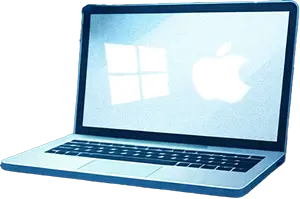
Office apps on Mac – seamlessly integrated
- Outlook: Emails, calendar, contacts & tasks – daily correspondence as usual.
- Teams:Teams chats, meetings with screen sharing, file sharing? No problem.
- OneDrive:OneDrive sync with automatic backup? Check.
- Word, Excel, Powerpoint: Spreadsheets, presentations with animations and transitions, documents? – All native, all there.
Bonus💡: Copy-paste between Mac and iPhone/iPad works seamlessly if you have multiple Apple devices.
Cost comparison – Windows PCs and Apple
| Device | HW-Specs (short) | Initial purchase cots | Usage duration | Costs/Year | Usage (max. performance) | Resale value |
|---|---|---|---|---|---|---|
| MacBook Air 15″ M4 | M4 (10‑Core CPU/GPU), 16GB RAM, 256GB SSD, 15,3″ Liquid Retina, 18h Battery life | 1.399 €1 | 5 Years2 | ≈196 €/year | Office tasks, light to medium video editing possible | ca. 30 %3 |
| MS Surface 7 15″4 | Intel Core Ultra 7 165H, 16GB RAM, 512GB SSD, 15″ PixelSense Touch, 19h battery life | ca. 1.229 € | 3 Years5 | ≈348 €/year | Office tasks | ca. 15 % |
Bonus 💡: Productivity & Employee Retention
| Dimension | Mac | Windows |
|---|---|---|
| Time savings | ca. 100 minutes less time loss per user and month due to fewer technical issues | noticeably more lost time per month due to disruptions and support cases |
| Preference | around 72% of employees choose Mac if they have the choice | significantly lower share, often only used out of habit |
| Retention & Performance | better performance ratings and lower fluctuation among Mac users (e.g., IBM) | tendentially weaker ratings and higher willingness to switch |
Setup, IT Support & Effort
| Dimension | Mac | Windows |
|---|---|---|
| Setup time/Onboarding | Zero-Touch, saves up to 1 day/device6 | semi-manual, more steps8 |
| Ongoing effort | 7 engineers/200k devices (IBM)8 | 20 engineers/200k devices (IBM) |
| Support cases | 60% fewer tickets, 5% on-site | 27% on-site interventions7,8 |
Security & Risk
| Dimension | Mac | Windows |
|---|---|---|
| Security incidents | 56% fewer7 | higher downtime7 |
| Additional software | Integrated (FileVault, XProtect)8 | more licensed tools needed8 |
Wenn Sie bereit sind, den Umstieg zu wagen – wir unterstützen Sie gerne dabei:
The best Windows admin Tom Gook
A friend of mine (we’ll call him “Tom Gook” here for safety), who is a Windows administrator, manages over 4000+ clients (PCs). He is an expert in what he does. I once gave him a Mac and asked him to critically examine the setup with his technical expertise and give me constructive feedback. The following things happened:
- The “switch” from Windows to Mac took Tom G. less than 20 minutes. Everything runs natively, simply, and mostly self-explanatory.
*Disclaimer: He had never worked with a Mac before.* - Tom G. was thrilled by the setup, the device performance in general, and the seamless integration of Windows applications.
- Tom G. still uses it today and sometimes even as his main work device.
Names have been changed to not expose the real Tom G. as an Apple fanboy – that could harm his career, but above all his Windows dignity. The anecdote happened exactly like this. Despite its entertainment value, there is a real point to it:
Even a Windows expert who knows the Microsoft world inside and out and ensures top quality for customers daily appreciates a high-performance work device – and uses it himself as the main device.








Finder – Coming Soon
Finder integration will be available soon. Stay tuned!
PowerPoint – Coming Soon
PowerPoint integration will be available soon. Stay tuned!
Photoshop – Coming Soon
Photoshop integration will be available soon. Stay tuned!
VS Code – Coming Soon
VS Code integration will be available soon. Stay tuned!
We keep your files safe.
Either locally or in the (corporate) cloud of your
choice.
Backups included.

The App Store is restricted by
Company Policy. Please
use
Self Service for App installations.
Your IT.
Your Security decisions.
Zero compromises.
Zero
Risk.
Microsoft Defender – Coming Soon
Defender integration will be available soon. Stay tuned!

How many ex-employees know your current WiFi Password?
Easily deploy Corporate Networks, without exposing the Password ever again.

1Password. That's all you need to remember.
All your Credentials, across all your
devices.
Always ready. Always secure.
Never expose any Password in clear-text anymore.